Description
When using Inventor to export, the PDF is not completely rendered. Some lines might be missing or whole parts of the drawing or some sheets. This happens only for large drawings. The resulting PDF doesn't show an earlier version of the drawing, but actually misses some parts.
Cause
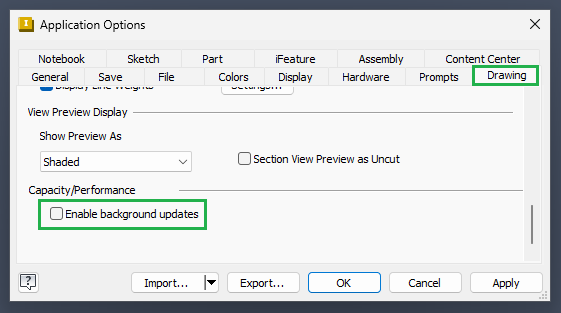
This happens for large drawings if background updates are enabled (Inventor default). With this setting Inventor signals to powerJobs to continue, even if the drawing isn't fully loaded yet.
Solution
Disable background updates in Application Options -> Drawing -> Enable background updates